# Ad summary
This ad demonstrates how to connect Notion and Typeform to create an easy video brief system. The ad shows the steps to create a Typeform, create a Notion database, and connect the two.
# Brand positioning
This ad features Notion and Typeform, two productivity platforms that help users organize and streamline their workflows. Notion is presented as a versatile workspace where users can manage projects, take notes, and collaborate with others. Typeform is positioned as a tool for creating engaging and interactive forms that collect data in a user-friendly way. The ad suggests that by integrating these two platforms, users can create a seamless video brief system that saves time and improves efficiency. The brand aligns with values of productivity, organization, and innovation, and promotes a lifestyle of streamlined workflows and efficient project management. The brand positioning is functional, focusing on the performance and simplicity of the integrated system.
# Product
The ad features Notion and Typeform, two productivity platforms that can be integrated to create a video brief system. Typeform is a tool for creating custom video briefs with questions that the user wants to add. Notion is a database where the user can add matching properties from the Typeform so they line up. The ad shows how to connect Typeform to Notion so that every time someone fills out a Typeform brief, it will automatically create a new Notion card with all the information needed.
# Visual style
The ad has a UGC feel with a polished commercial look. The editing style is quick cuts, and the production quality is high-end. The pacing is consistent, and the audio-visual sync is timed to the music beats and voiceover lines.
# Hooks
Spoken: 00:00–00:03: Here's how you can connect Notion and Typeform to create an easy video brief system.
Text overlay: 00:00–00:03: How I use Notion x Typeform for my video briefs
Visual: 00:00–00:03: The shot is a medium shot of a man sitting at a desk in front of a computer. The man is white, in his 20s, with short hair and a beard. He is wearing a black sweater. The desk is dark wood, and there is a computer monitor, keyboard, and mouse on the desk. The background is a white wall with a plant and a lamp.
# Funnel stage
Middle of funnel (Consideration)
# Pain points
The ad addresses the pain point of creating video briefs manually, which can be time-consuming and inefficient. The ad aims to solve this problem by providing a system that automates the process of creating video briefs using Notion and Typeform.
# Value propositions
- Connect Notion and Typeform to create an easy video brief system
- Every time someone fills out a Typeform brief, it'll automatically create a new Notion card
# Benefits
- Create an easy video brief system
- Automatically create a new Notion card
- All the information you need is ready to go
# Features
- Typeform
- Notion
# Call to action
None used.
# Social proof
- None used.
# Point of view
- Customer 0% – None used
- Brand 0% – None used
- Expert 100% – The ad is delivered by a creator who is demonstrating how to use Notion and Typeform.
# Storyline
- 00:00–00:03 The ad begins with a man sitting at his desk, typing on a keyboard. Text overlay reads, "How I use Notion x Typeform for my video briefs." The message is to introduce the topic of the video and highlight the integration of Notion and Typeform for video briefs. The perspective is from the creator, sharing his personal workflow.
- 00:00–00:03 The man looks directly at the camera and says, "Here's how you can connect Notion and Typeform to create an easy video brief system." The message is to provide a solution for creating video briefs using Notion and Typeform. The perspective is from the creator, offering a tutorial to the audience.
- 00:03–00:05 The man looks directly at the camera and says, "Step one, create your Typeform." The message is to begin the tutorial by instructing the audience to create a Typeform. The perspective is from the creator, guiding the audience through the steps.
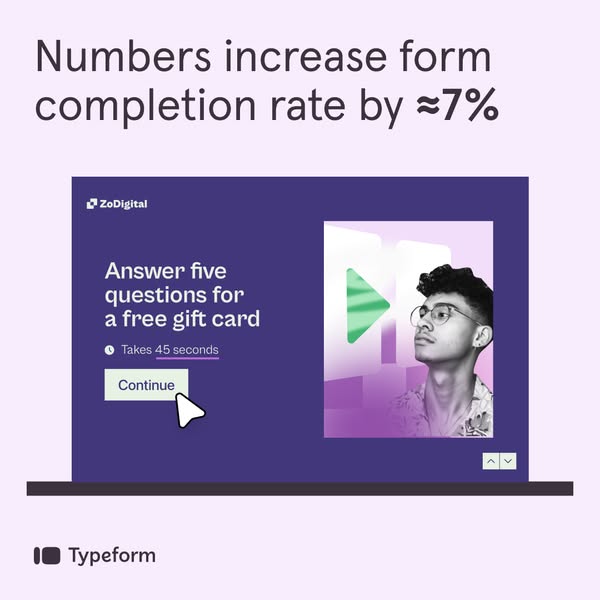
- 00:05–00:06 The screen shows a Typeform interface with the text, "Hi! Please fill out our Video Brief." The message is to show an example of a video brief created in Typeform. The perspective is from the user filling out the form.
- 00:06–00:08 The screen shows a computer monitor displaying the Typeform interface. The message is to show the Typeform interface on a computer screen. The perspective is from the user viewing the Typeform on their computer.
- 00:07–00:09 The man looks directly at the camera and says, "Add in whatever questions you want." The message is to instruct the audience to customize their Typeform with relevant questions. The perspective is from the creator, providing guidance on customizing the Typeform.
- 00:09–00:10 The screen shows a Notion database titled "Client Briefs." The message is to introduce the Notion database as part of the video brief system. The perspective is from the user viewing the Notion database.
- 00:09–00:11 The man looks directly at the camera and says, "Step two, create your Notion database." The message is to instruct the audience to create a Notion database. The perspective is from the creator, guiding the audience through the steps.
- 00:10–00:12 The screen shows a computer monitor displaying the Notion database. The message is to show the Notion database interface on a computer screen. The perspective is from the user viewing the Notion database on their computer.
- 00:11–00:14 The man looks directly at the camera and says, "Add in all the matching properties from your Typeform so they line up." The message is to instruct the audience to add matching properties from Typeform to the Notion database. The perspective is from the creator, providing guidance on aligning the two platforms.
- 00:14–00:15 The screen shows a Typeform interface with the text, "Hi! Please fill out our Video Brief." The message is to show an example of a video brief created in Typeform. The perspective is from the user filling out the form.
- 00:15–00:17 The man looks directly at the camera and says, "Step three, connect your Typeform to your Notion." The message is to instruct the audience to connect Typeform to Notion. The perspective is from the creator, guiding the audience through the steps.
- 00:17–00:23 The screen shows the Typeform interface with various integration options, including Notion. The message is to show the integration options available in Typeform. The perspective is from the user configuring the integration settings.
- 00:17–00:23 The man looks directly at the camera and says, "So once you've made your video brief in Typeform, click connect. Scroll down and find Notion." The message is to guide the audience through the process of connecting Typeform to Notion. The perspective is from the creator, providing step-by-step instructions.
- 00:23–00:34 The screen shows the Notion integration settings in Typeform. The message is to show the Notion integration settings in Typeform. The perspective is from the user configuring the integration settings.
- 00:23–00:34 The man looks directly at the camera and says, "Once you do that, hop into here. Find the Notion database that you just created, select it, and then manually select each Typeform question and align it with the Notion property." The message is to guide the audience through the process of mapping Typeform questions to Notion properties. The perspective is from the creator, providing step-by-step instructions.
- 00:34–00:38 The man looks directly at the camera and says, "So now every time someone fills out a Typeform brief, it'll automatically create a new Notion card." The message is to explain the benefit of connecting Typeform and Notion. The perspective is from the creator, highlighting the automation of the system.
- 00:38–00:41 The screen shows a Notion database with a new card created from a Typeform submission. The message is to show an example of a new Notion card created from a Typeform submission. The perspective is from the user viewing the Notion database.
- 00:39–00:44 The man looks directly at the camera and says, "And all the information you need is ready to go inside your beloved Notion, if you're anything like me." The message is to emphasize the convenience and efficiency of the integrated system. The perspective is from the creator, sharing his personal preference for Notion.